
Money apps live or die on trust. One unclear fee, one confusing screen before a payment, and people go back to cash. Finora puts the balance, the fees and the exchange rate in plain sight — so adding money, sending it abroad and paying bills each take a few taps and leave a clear receipt.
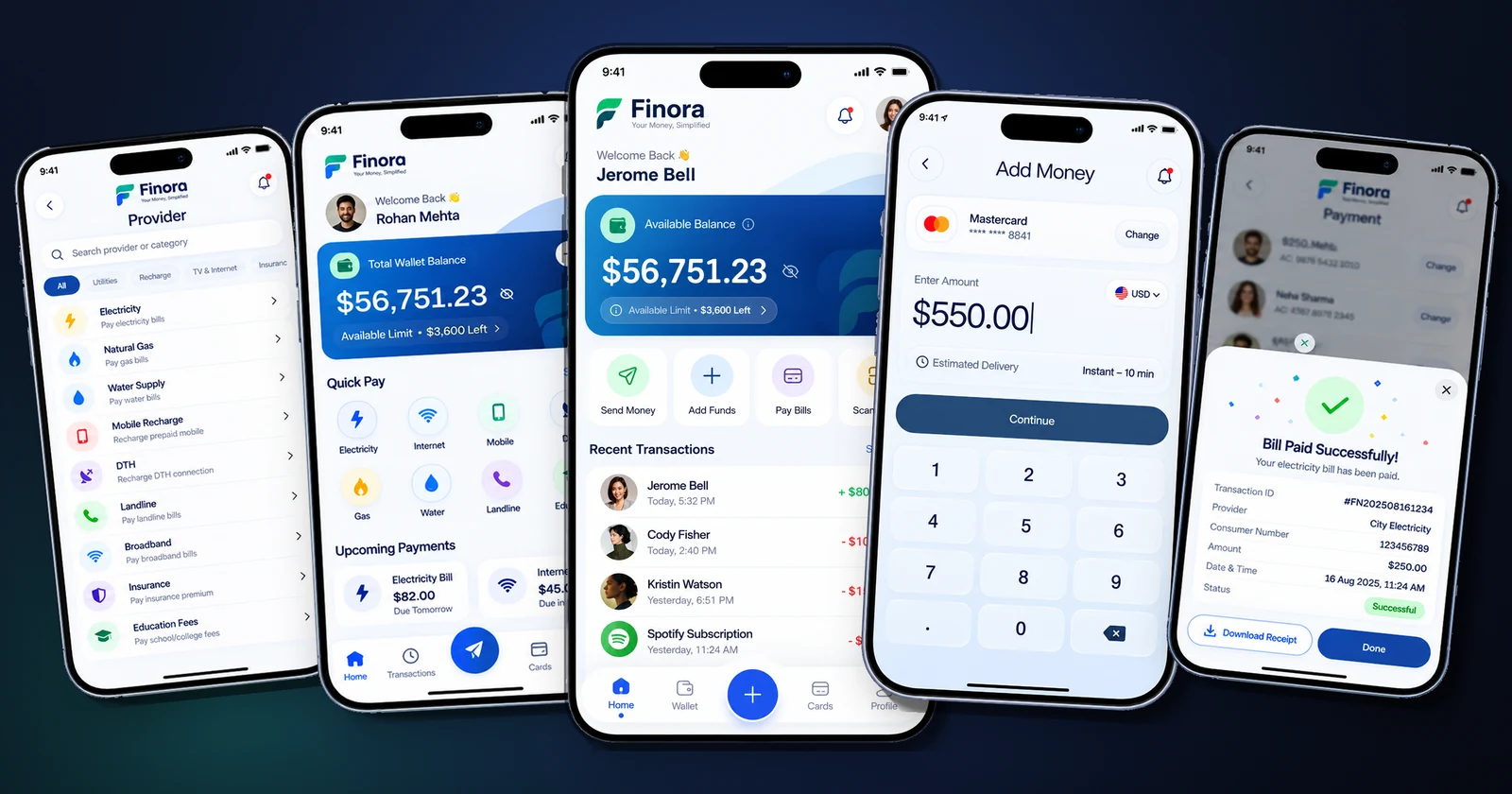
Product screens shown with demo accounts, balances and transactions.
A wallet has to do four jobs well — show the money, top it up, move it and spend it — and every one of them involves real money and real nerves. Users want to see their limit before they hit it, know which card is being charged, understand what the other person will actually receive in their currency, and get proof the moment a bill is paid. Any hesitation on a payment screen is a lost transaction.
A clean, confident wallet app: a home screen with balance, spending limit and quick actions; add-money flows from bank accounts and Visa, Mastercard or RuPay cards; multi-currency transfers that show the exchange rate, fee and amount received before anything is sent; and a bill-payment hub covering electricity, gas, water, mobile, DTH, broadband, insurance and education fees. Every payment ends with a swipe-to-confirm step and an instant, downloadable receipt.
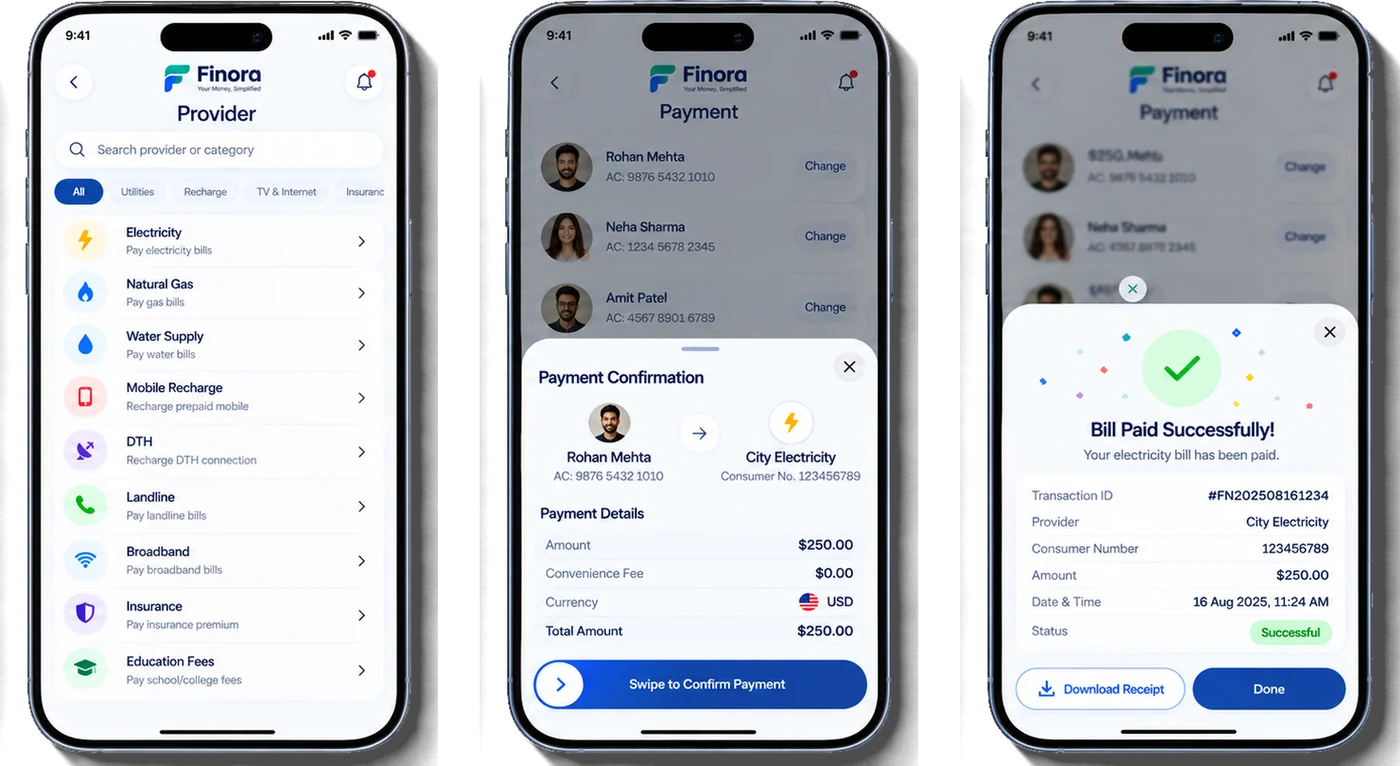
Every flow shows the same three things before money moves: from where, to whom, and exactly how much — fees included.
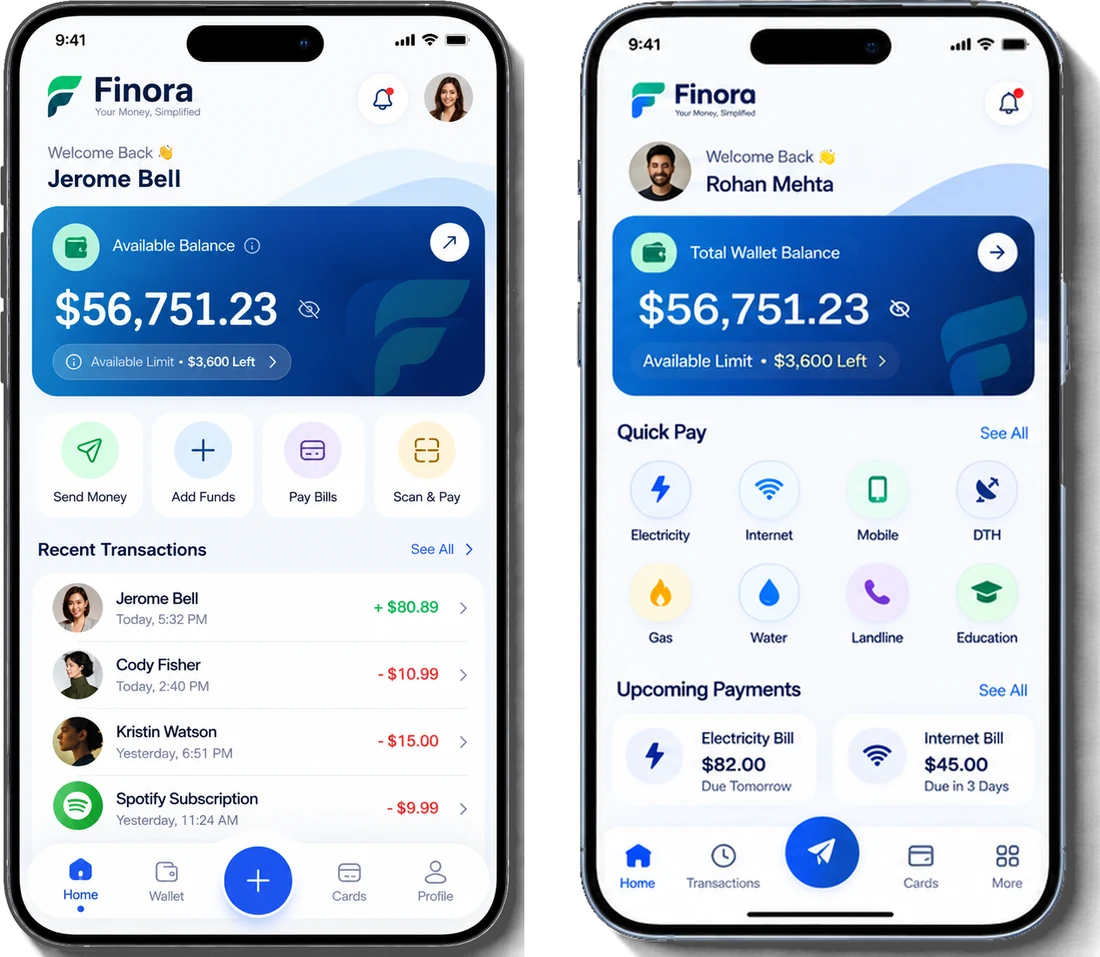
The home screen answers "how much do I have and what can I do with it" at a glance — with the balance hidden behind a tap when someone is looking over your shoulder.
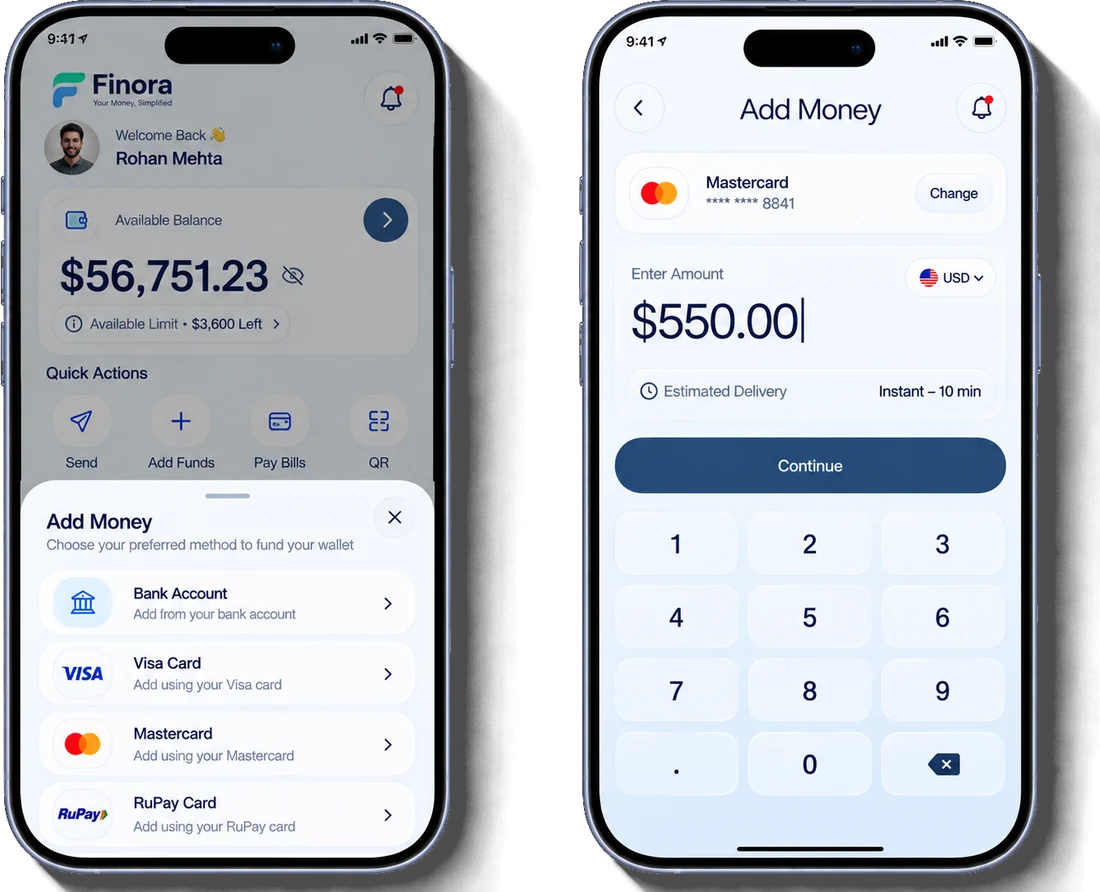
A bottom sheet lists every funding method, and the amount screen shows the selected card, the currency and how fast the money will land — before the user taps continue.
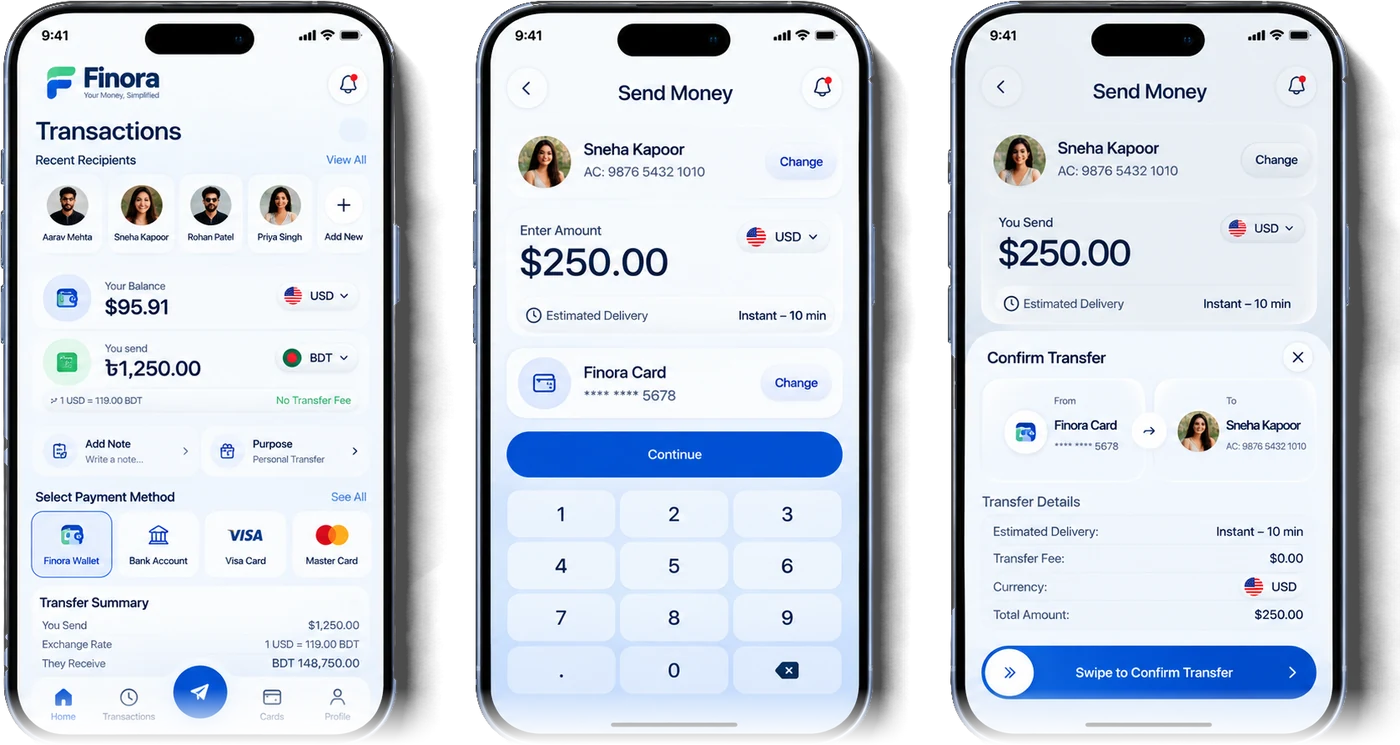
Pick a recent recipient, choose the payment method and see the exchange rate, transfer fee and the exact amount the other person receives. A swipe confirms the transfer, so nobody sends money by accident.
Electricity, gas, water, mobile recharge, DTH, landline, broadband, insurance and education fees sit in one searchable list. The confirmation sheet shows the provider, consumer number and total, and the success screen gives a transaction ID and a downloadable receipt.
Free 30-minute consultation — honest scope, timeline and a fixed quote within 24 hours.