
Most dating apps feel built for a quick swipe, not for finding a life partner. Dilora — "Saath Zindagi Ka" — keeps the ease of swiping but puts verified people, real profiles and a warm Indian look first, so serious users feel safe enough to start talking.
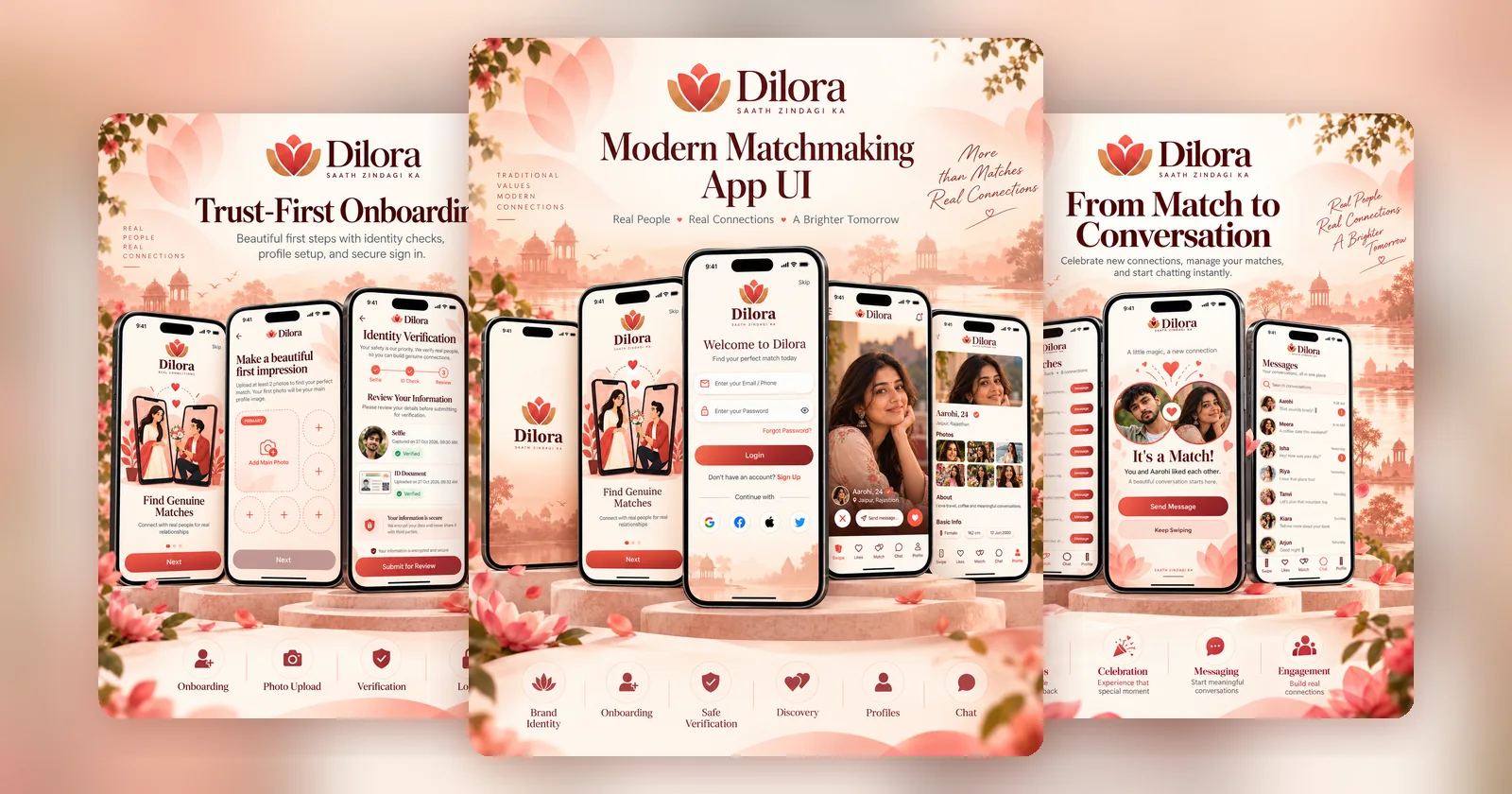
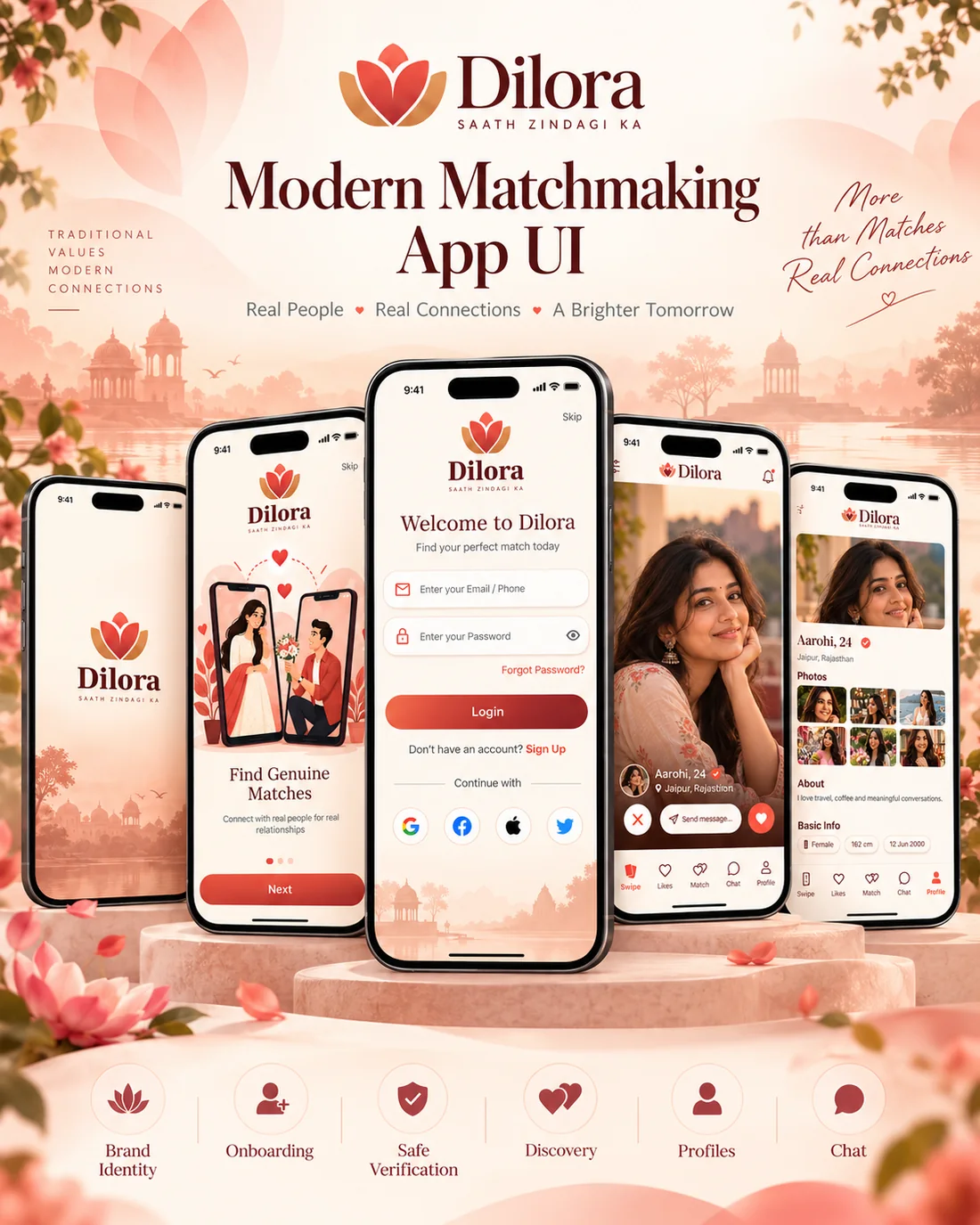
Product screens shown with demo profiles and conversations.
On matchmaking apps, trust is the product. Fake profiles, stolen photos and empty bios push genuine users away, and a design borrowed from casual dating apps puts off people who are looking for something lasting. Dilora needed to make verification feel welcoming rather than bureaucratic, give profiles real depth, and move a match into a conversation without friction.
A complete user journey: branded splash and onboarding, sign-in with email or phone and social accounts, guided photo upload, a three-step identity check with selfie and ID document, swipe discovery, rich profiles with photo grids and basic info, an "It's a Match" moment, a matches list and a messages inbox — all in a soft, rose-toned visual identity inspired by traditional Indian settings.
Each step builds a little more trust before asking for the next one.
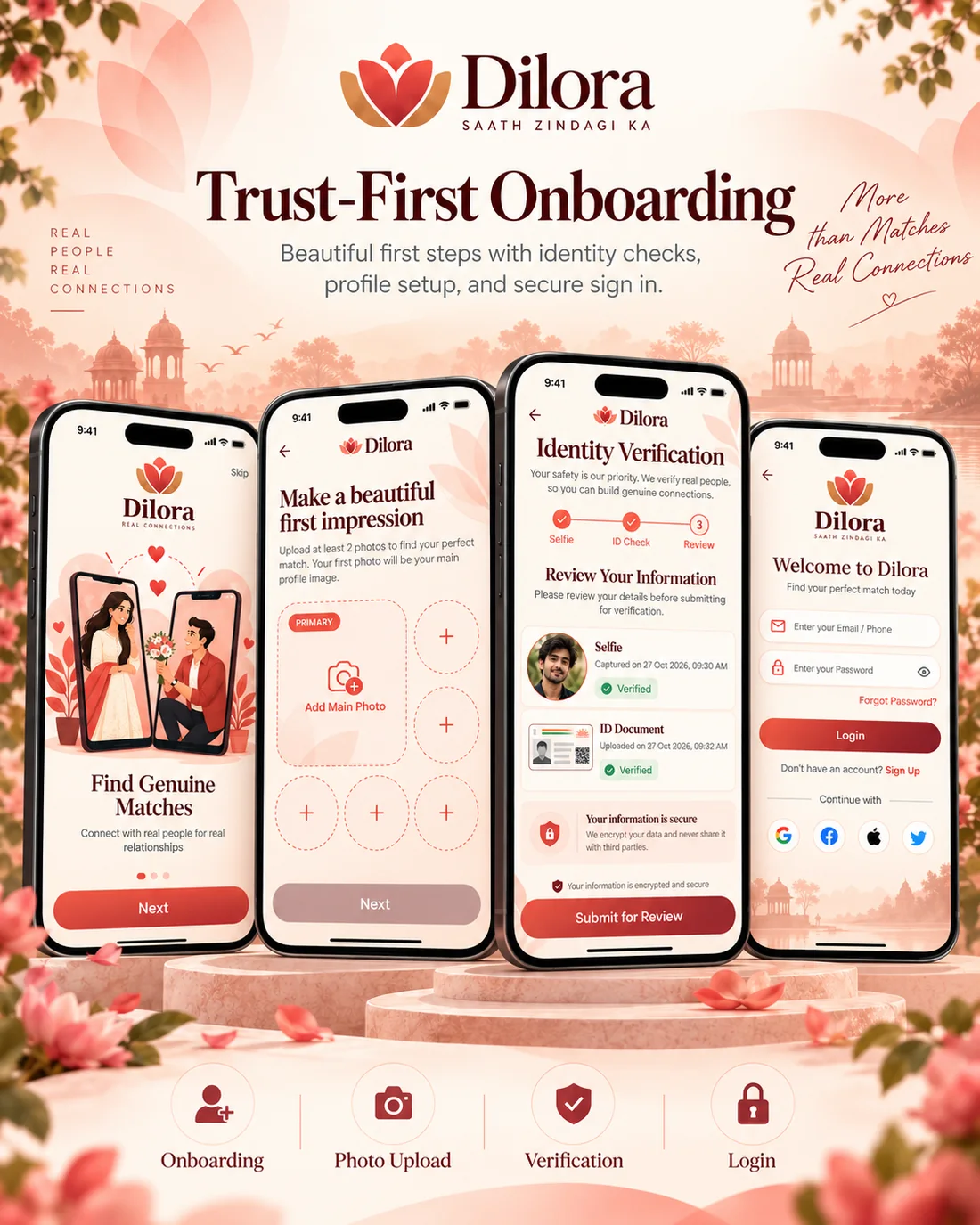
New members see why Dilora is different before they sign up, then add photos and verify themselves in three short steps. The review screen shows exactly what was captured and confirms the data is encrypted.
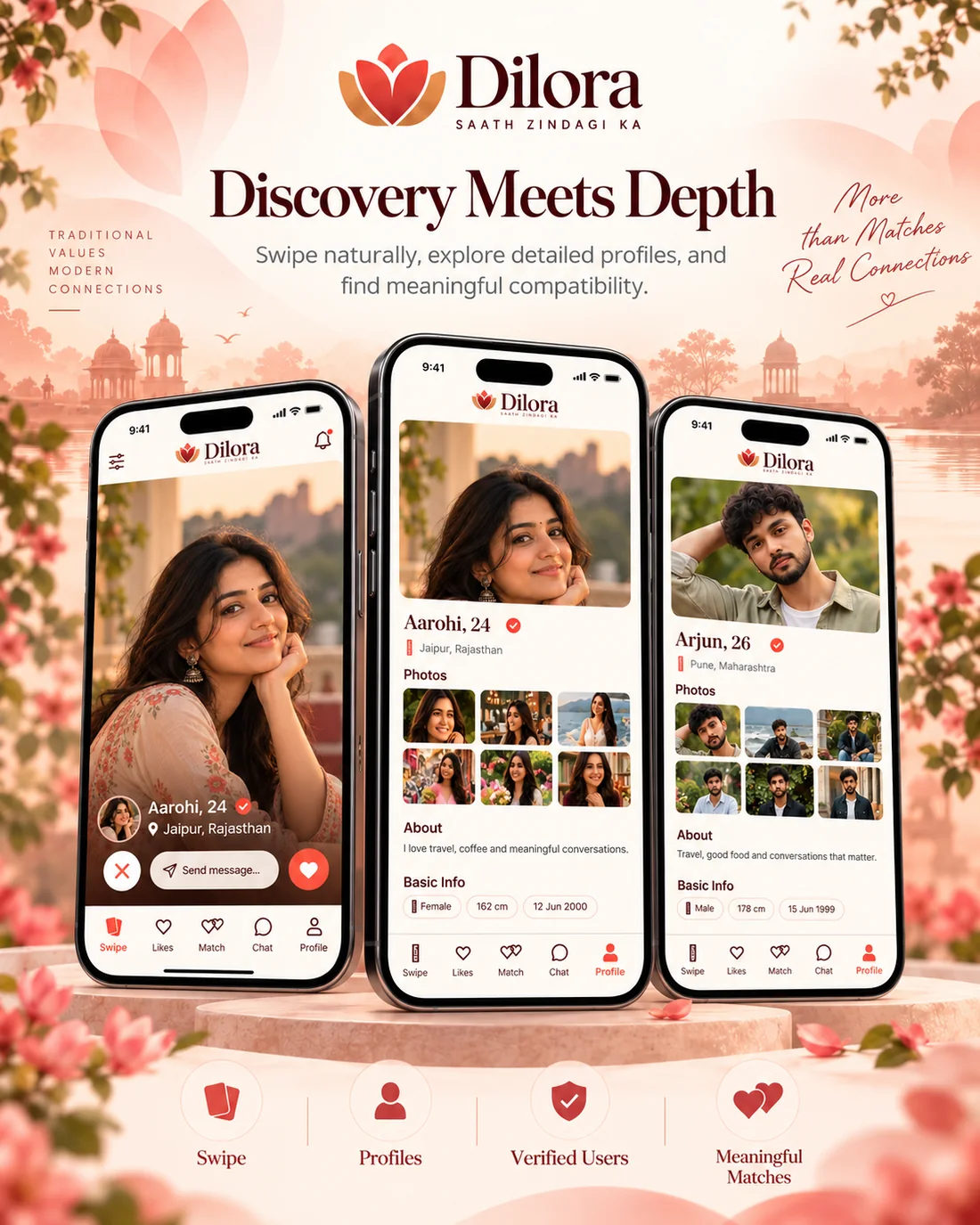
The swipe card leads with a large photo, name, age, city and a verified badge, with pass, message and like actions in reach of a thumb. Tapping through opens a full profile with a photo grid, an about section and basic info.
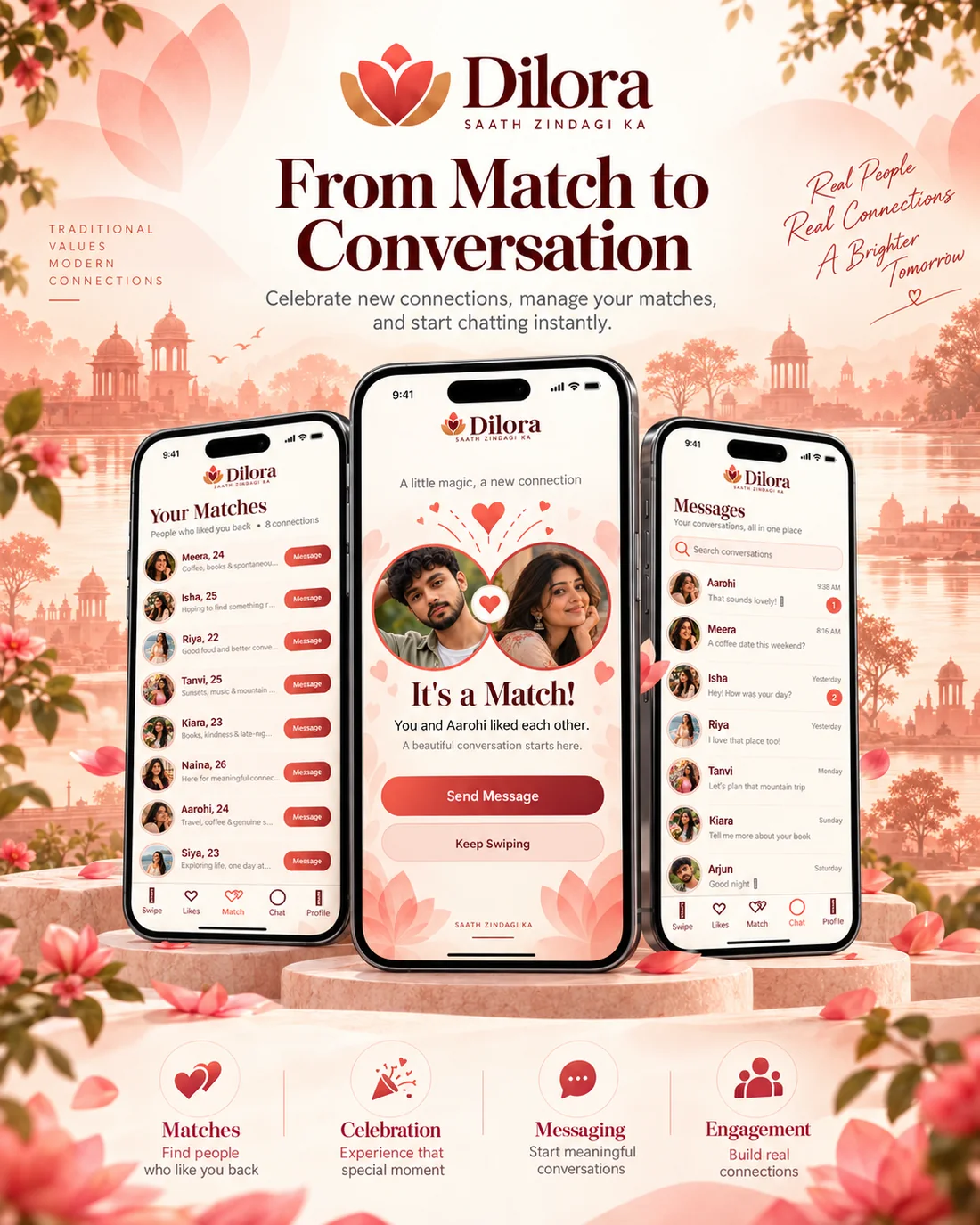
A mutual like triggers a celebration screen that goes straight to "Send Message". Matches are listed with a one-tap message button, and the inbox shows unread counts and timestamps so no conversation goes cold.
The lotus mark, deep maroon type and rose palette give Dilora a look that feels Indian and grown-up, far from neon dating-app clichés. Soft illustrated backdrops carry from the splash screen through to the login page.
Free 30-minute consultation — honest scope, timeline and a fixed quote within 24 hours.